Author: Artturi Jalli

  • AIEase Review: The Best Free AI Headshots?

    AIEase Review: The Best Free AI Headshots?

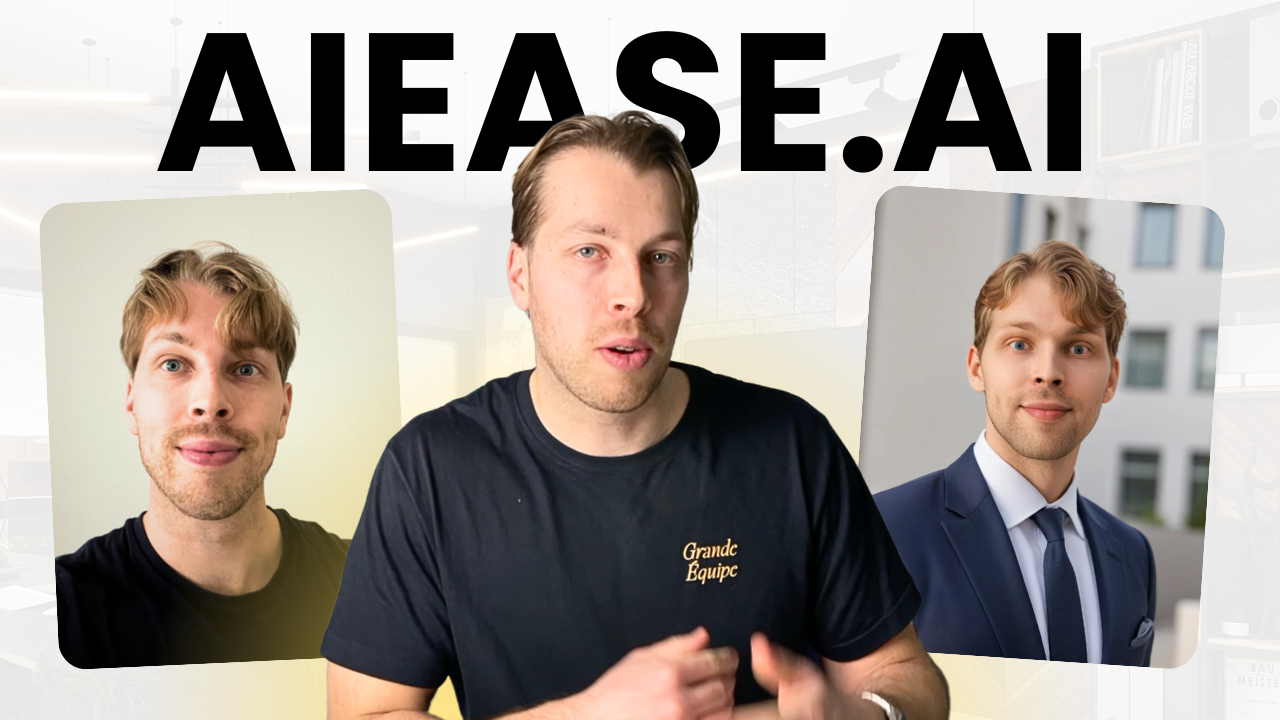
    AIEASE.ai is a free AI-powered photo editing platform that has an AI headshot generator that’s entirely free.

    In this post, I will review the AI headshot generator. I will compare the free headshots with the paid ones and more.

    Disclaimer: This post has affiliate links at no cost to you.

    πŸ‘‰ Check the up-to-date list for the best AI headshot generator.

    Ease of Use & User Experience

    Using AIEase Headshot generator couldn’t be easier.

    Just open it up and pick a style.

    Then choose a real image of yourself, drop it in, and wait.

    After about 15 seconds, you’ll get your headshots.

    No sign-ups, credit cards, nothing. Just a simple free tool.

    Pretty cool, huh?

    Results, Quality & Accuracy of Headshots

    Here’s my favorite AI headshot that I got from this tool:

    But to be honest, this is not a good imageβ€”even though it’s the best I got.

    When I compare this to paid headshots, the quality just isn’t there.

    The AIEase results for me look like 3D characters, and not even that much like me.

    In fact, I believe that tools like HeadshotMaster or Supawork are even better free AI headshot generators.

    But I like the speed and the fact that you can just create your headshots over and over again.

    Customization & Style Options

    In AIEase, the customization options are limited.

    There are only 4 styles to choose from.

    Also, you can’t do anything with your headshots, other than download or regenerate.

    Speed & Processing Time

    This tool is fast, though.

    Firstly, you don’t need to sign up.

    Then all you need is one image and 15 seconds, and there’s your free headshot.

    So even if you haven’t used a tool like this before, it will probably not take more than 1-2 minutes for you to get your headshots.

    AIEase vs. Paid Tools

    Let’s compare AIEase results with paid tools.

    First, here’s a before-and-after image with AIEase headshots:

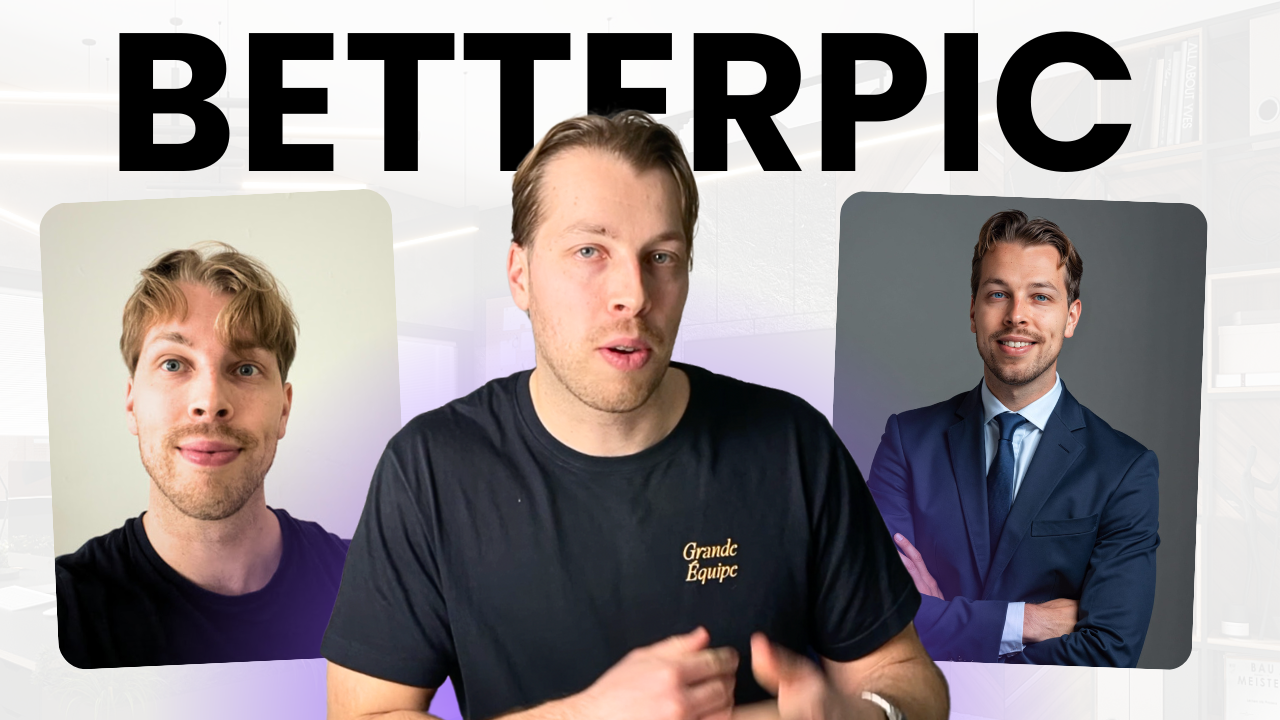
    Then as a comparison, here are some images I created with a paid tool called BetterPic:

    And here’s one more:

    As you can see, the paid ones are just so much better. It’s like night and day.

    After testing AIEase (that was advertised as good as paid headshots) I must say I still believe that the paid tools are better by a mile.

    πŸ‘‰ Try BetterPic hereβ€”get 10% off with code JALLI10

    Pros & Cons

    Pros:
    βœ… Fast

    βœ… Easy to use


    Cons:
    ❌ Unrealistic images

    ❌ No customizations

    πŸ‘‰ Check my up-to-date list of the best AI headshot generators.

    Final Verdict: Is It Worth It?

    This tool is fast, but that’s literally all there is to it in my eyes.

    The results are not good.

    There’s no customization available.

    Rating: 1.5/5

    πŸ‘‰ My recommendation: Check the up-to-date list for the best AI headshot generators.
  • 2 Ways to Create Free AI Headshots (in 2025)

    2 Ways to Create Free AI Headshots (in 2025)

    Did you know you can use AI to create realistic images of yourself?

    That’s possible thanks to AI headshot generators.

    However, the problem is that most headshot generators are expensive.

    In this post, I will show you two ways with which you can create free headshots.

    Let’s start with the easiest option.

    1: Use HeadshotMaster.io

    HeadshotMaster.io is my favorite free AI headshot generator.

    To create headshots with it, open it up, and click “Generate Now.”

    Choose your gender:

    Pick a style:

    Choose your age range:

    Select your hair color:

    Choose if you wear glasses (and if you have a beard).

    Then choose ethnicity:

    Then upload at least one image of yourself:

    Then click “Generate” and wait for about a minute or two.

    After waiting, you’ll receive your headshots.

    Here’s what my free AI headshots look like:

    That’s pretty cool, right?

    Those look somewhat realistic and clearly like me.

    Of course, because those are free, the quality isn’t quite as good as with the paid ones.

    For example, in the two above images, I look like a painting or a 3D character but not really like a real person.

    Also, there’s another issue, that is, these headshots are not customizable.

    If you wanted to change the background, style, etc., that wouldn’t be possible because HeadshotMaster is quite a limited headshot generator.

    But that’s not an issue.

    I will show you another way with which you can get more customizable headshotsβ€”that are still free.

    2. Try ChatGPT + AIFaceSwap

    Another way to make AI headshots is by doing it in three steps:

    1. Create a base image with ChatGPT (or any other free image generator.)
    2. Choose a real image of yourself.
    3. Face-swap the AI-generated image with your picture.

    Let me show you an example.

    First, let’s open up ChatGPT.

    Here I’m telling ChatGPT to create an image of a man that looks like me. I’m being accurate with my description because I want this to be as close to me as possible.

    As you can see, the above image doesn’t quite look like me. Here’s a real selfie for a comparison.

    But that’s not a problem. It’s not supposed to look like me yet.

    Next, let’s open up AIFaceSwap.io.

    This tool allows me to use AI to take my real selfie, remove the face from that and naturally merge it with the AI-generated image.

    Let’s try it:

    If you do this, make sure you set the “Original image” to be the AI-generated image and the “Face image” as the real image of you.

    This way the AI takes your face and merges it with the AI-generated image.

    But now, let me show you my results…

    Here’s the AI-generated face-swapped image of me:

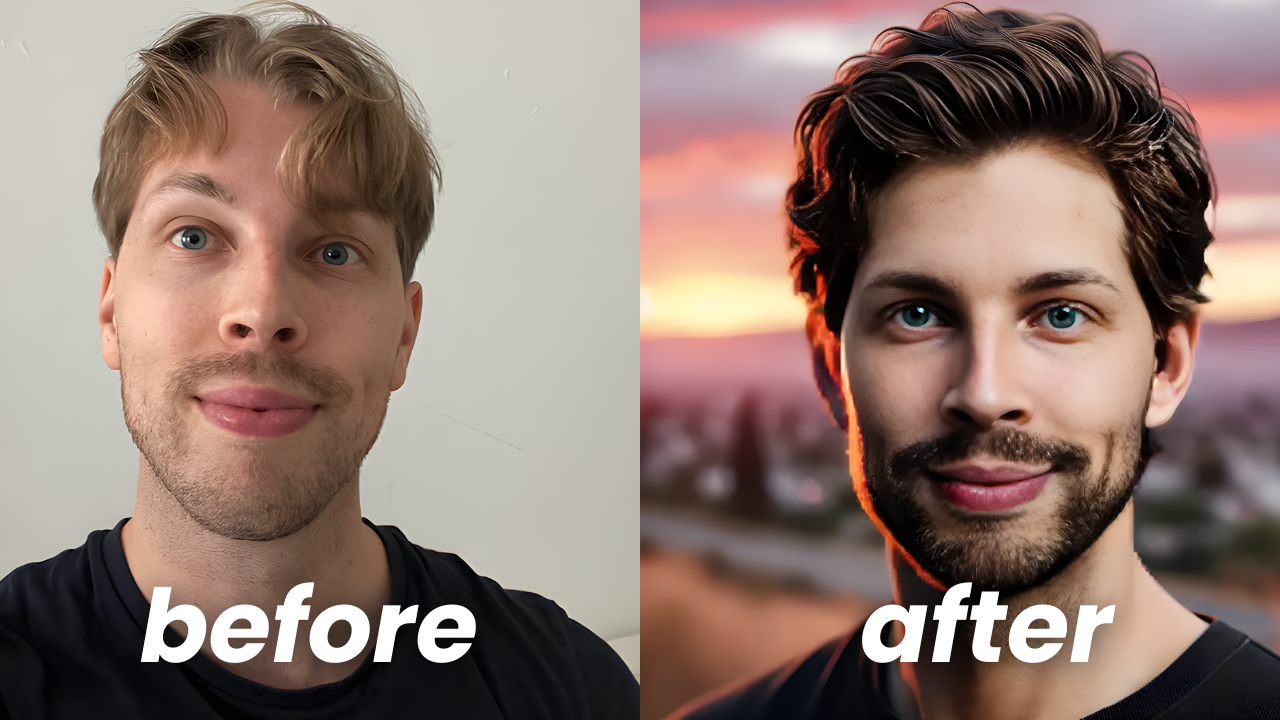
    To compare, here’s a before-after version:

    As you can see, it’s not perfect but still pretty close.

    My facial features are definitely there and you can clearly see it kind of looks like me.

    But with this image, my hair and beard are way too dark.

    Obviously, you can fix that by using a better prompt.

    In fact, I would say try this at least 10-20 times with different prompts and selfies to find the ideal image.

    My Honest Take

    If I’m honest, these free AI headshots aren’t good at all. Those are a funny experiment/prank for someone, but that’s it.

    If you actually want to be able to use these, you have to try the paid headshots that I’ve listed here.

    Hope you liked it!

    πŸ‘‰ Check the up-to-date list for the best AI headshot generator.

  • BetterPic AI Review: The Best AI Headshots of 2025?

    BetterPic AI Review: The Best AI Headshots of 2025?

    BetterPic is the best AI headshot generator on the market.

    Use code JALLI10 to get 10% off.

    Here’s what BetterPic AI did for my images:

    Before after image - ai headshots by betterpic

    I tested BetterPic’s Expert plan to save your time and money.

    In this post, I’ll show you my results and give my overall opinion about this tool.

    πŸ‘‰ Try BetterPic β€” Get 10% off with code JALLI10

    Disclaimer: This post has affiliate links at no cost to you.

    Ease of Use & User Experience

    First of all, BetterPic is easy to use.

    All you need to do is sign up, send a couple of images of yourself, and answer 5 questions related to your characteristics.

    After you’ve sent your images, it takes about 30-90 minutes for the AI to create your pictures.

    This depends on the plan you chose.

    In my case, I picked the Expert plan because it comes with the human edit option and over 100 images.

    Results, Quality & Accuracy of Headshots

    Here’s my favorite AI headshot that I got from this tool:

    before after image with betterpic

    As you can tell, it’s indistinguishable from the real me. There’s simply no easy way to tell that the image on the right is AI-generated.

    In fact, the above headshot is my LinkedIn profile picture at the time of writing this post.

    my linkedin profile image is an ai headshot

    Also, it’s not just one image you get but a whole bunch more.

    Here are more headshots that the Betterpic AI created for me:

    more ai headshot from betterpic

    I think these images are just awesome. I sent these to my mates and family and they didn’t believe these were not real.

    Obviously, AI images are always a dice-roll. There simply can’t be an AI photoshoot where all images are perfect. In fact, your mileage may vary a lot.

    That’s why there are those customization features with which you can change backgrounds, clothes, eye color, skin, and more. Heck, there’s even a human edit feature. I’ll talk about these in just a second, though.

    πŸ‘‰ Try BetterPic β€” Get 10% off with code JALLI10

    Here are some before-after AI headshots with BetterPic so that you can compare what I look like vs. what my AI avatar looks like:

    more before-after images with betterpic ai headshot generator
    more before-after images with betterpic ai headshot generator

    Isn’t that amazing?

    Customization & Style Options

    I like BetterPic because it lets you choose from a bunch of styles.

    style options for betterpic

    You can combine places, clothing, and clothing color to form three separate styles.

    This way you, can create corporate, creative, and casual headshots.

    Also, when you receive your images, you can customise them.

    For example, you can change backgrounds, eye color, and you can even request a human editor to take a look and change things around.

    ai headshot customization options table in betterpic

    The human editor can tweak facial expressions and features too.

    For example, I asked the team to remove a necklace from my image.

    That’s pretty cool too.

    This is useful if you create headshots for your team. This way you can guarantee that every team member has at least one image they’re satisfied with.

    Notice that this feature is only in the Expert plan.

    πŸ‘‰ Try BetterPic β€” Get 10% off with code JALLI10

    Speed & Processing Time

    Be prepared to wait for 2 hours for the AI headshots.

    That’s because at least for me, finding 8-16 images was hard and I had to spend at least 30 minutes on it.

    Also, the AI renders the images for at least 30 minutes, but usually more.

    (However, you don’t need to wait because all the processing takes place remotely, so you can close the window.)

    BetterPic is handy because they’ll send you an email once your headshots are ready.

    Pricing & Value for Money

    betterpic pricing

    BetterPic has three pricing plans:

    • Basic: $35
    • Pro: $39
    • Expert: $79

    All these fees are one-time payments. No recurring subscription fees occur!

    In my books, the pricing is reasonable compared to the quality offered.

    In fact, most other tools have similar pricing but they don’t even allow customizations or refunds.

    There aren’t necessarily any hidden fees, but editing the images will cost credits that you can purchase as you need

    πŸ‘‰ Try BetterPic β€” Get 10% off with code JALLI10

    Pros & Cons

    Pros:
    βœ… ease of use

    βœ… realistic images

    βœ… best customization options

    βœ… faster than a photographer

    Cons:

    ❌ Not all images look good

    ❌ Occasional morphing/unnatural vibe in the pictures

    ❌ A bit pricey

    Final Verdict: Is It Worth It?

    With everything said, BetterPic is my favorite AI headshot generator.

    I’ve tested a bunch of these and this one gave the best results, is most customizable, and I’m overall most happy with these headshots.

    Rating: 4.7/5

    πŸ‘‰ Try BetterPic β€” Get 10% off with code JALLI10

    πŸ‘‰ Check the up-to-date list for the best AI headshot generator.

  • 10 Best AI Headshot Generators Compared (My Results)

    10 Best AI Headshot Generators Compared (My Results)

    I’ve spent thousands testing AI headshot generators to save your time and money.

    These are the best tools right now:

    AI Headshot Generators
    BetterPic

    1. BetterPic

    🎁 Get 10% off with code: JALLI10

    πŸ’° Pricing: Paid, starting at $35
    🎨 Customization: βœ”οΈ backgrounds, βœ”οΈ outfits, βœ”οΈ human edits
    ⚑ Speed: 30–60 minutes
    πŸ“Έ Quality: 4.75/5

    Try BetterPic
    HeadshotPro

    2. HeadshotPro

    πŸ’° Pricing: Paid, starting at $29
    🎨 Customization: βœ”οΈ backgrounds, βœ”οΈ outfits, ❌ human edits
    ⚑ Speed: A few hours
    πŸ“Έ Quality: 4.6/5

    Try HeadshotPro
    Aragon AI

    3. Aragon AI

    πŸ’° Pricing: Paid, starting at $35
    🎨 Customization: βœ”οΈ backgrounds, βœ”οΈ outfits, ❌ human edits
    ⚑ Speed: 30–90 minutes
    πŸ“Έ Quality: 4.7/5

    Try Aragon AI
    HeadshotsByAI

    4. HeadshotsByAI

    πŸ’° Pricing: Paid, starting at $29
    🎨 Customization: No customizations
    ⚑ Speed: 60–120 minutes
    πŸ“Έ Quality: 4.6/5

    Try HeadshotsByAI
    InstaHeadshots

    5. InstaHeadshots

    πŸ’° Pricing: Paid, $49
    🎨 Customization: No customizations
    ⚑ Speed: 60–120 minutes
    πŸ“Έ Quality: 4.5/5

    Try InstaHeadshots
    ProPhotos

    6. ProPhotos

    πŸ’° Pricing: Paid, starting at $39
    🎨 Customization: No customizations
    ⚑ Speed: 60–120 minutes
    πŸ“Έ Quality: 4.4/5

    Try ProPhotos
    AI SuitUp

    7. AI SuitUp

    πŸ’° Pricing: Paid, starting at $27
    🎨 Customization: No customizations
    ⚑ Speed: 1–5 hours
    πŸ“Έ Quality: 4.3/5

    Try AI SuitUp
    PortraitPal

    8. PortraitPal

    πŸ’° Pricing: Paid, starting at $35
    🎨 Customization: No customizations
    ⚑ Speed: 30–90 minutes
    πŸ“Έ Quality: 4.1/5

    Try PortraitPal
    DreamWave

    9. DreamWave

    πŸ’° Pricing: Paid with free trial; plans start at $35
    🎨 Customization: βœ”οΈ backgrounds, βœ”οΈ outfits, ❌ human edits
    ⚑ Speed: 30–90 minutes
    πŸ“Έ Quality: 4.0/5

    Try DreamWave
    HeadshotMaster.io

    10. HeadshotMaster.io (Free)

    πŸ’° Pricing: Free
    🎨 Customization: βœ”οΈ backgrounds, ❌ outfits, ❌ human edits
    ⚑ Speed: 1–3 minutes
    πŸ“Έ Quality: 3.2/5

    Try HeadshotMaster
    Supawork AI

    11. Supawork AI (Free)

    πŸ’° Pricing: Free
    🎨 Customization: βœ”οΈ backgrounds, ❌ outfits, ❌ human edits
    ⚑ Speed: 1–3 minutes
    πŸ“Έ Quality: 3.1/5

    Try Supawork AI

    In case you’re new to this technology, these tools ask you to upload selfies, and they’ll give you back professional headshots that look exactly like you.

    In this post, I will give a quick rundown of the best AI headshot generators (both paid and free) that I’ve tested.

    Let’s start!

    Disclaimer: This post has affiliate links at no cost to you.

    1. BetterPic

    Details

    πŸ’° Pricing: Paid, starting at $35
    🎨 Customization: βœ”οΈ backgrounds, βœ”οΈoutfits, βœ”οΈ human edits
    ⚑ Speed: 30–60 minutes
    πŸ“Έ Quality: 4.7/5
    ⭐ Best for: Social media, professional photos

    Find my complete BetterPic review here.

    My Results

    Verdict

    BetterPic is my overall favorite AI headshot generator.

    It doesn’t just create headshots but lets you customise those.

    You can even request a manual edit from the team to make sure you get a headshot you like.

    Definitely worth a shot!

    πŸ‘‰ Try BetterPic AI headshots β€” 10% off with code JALLI10

    2. HeadshotsByAI

    Details

    πŸ’° Pricing: Paid, starting at $29
    🎨 Customization: ❌ Not available
    ⚑ Speed: 60–120 minutes
    πŸ“Έ Quality: 4.7/5
    ⭐ Best for: LinkedIn photos

    Find my complete HeadshotsByAI review here.

    My Results

    Verdict

    This is such a good tool. The results are pretty much the best I’ve seen.

    The only downside is that you can’t customise the images.

    πŸ‘‰ Try HeadshotsByAI

    3. InstaHeadshots

    Details

    πŸ’° Pricing: Paid, $49
    🎨 Customization: ❌ Not available
    ⚑ Speed: 60–120 minutes
    πŸ“Έ Quality: 4.6/5
    ⭐ Best For: Instagram, dating profiles

    Check my complete InstaHeadshots review.

    My Results

    Verdict

    This is the best tool for creating selfies in my books. It may have to do with the fact that I sent selfies to it mostly, but whatever it is, it’s working nicely!

    The only downside is that you can’t customise these images either.

    πŸ‘‰ Try InstaHeadshots

    4. ProPhotos

    Details

    πŸ’° Pricing: Paid, starting at $39
    🎨 Customization: ❌ Not available
    ⚑ Speed: 60–120 minutes
    πŸ“Έ Quality: 4.5/5
    ⭐ Best For: LinkedIn and other social media

    My Results

    Verdict

    Decent headshots, definitely not the best but not the worst either.

    Sadly, you can’t customise these either.

    πŸ‘‰ Try ProPhotos

    5. AI SuitUp

    Details

    πŸ’° Pricing: Paid, starting at $27
    🎨 Customization: ❌ Not available
    ⚑ Speed: 1–5 hours
    πŸ“Έ Quality: 4.3/5
    ⭐ Best for: Professional profile pictures

    My Results

    Verdict

    I love my headshots. Some feel a bit artificial, but most don’t.

    Once again, you can’t customise these images, which is a bit of a letdown.

    πŸ‘‰ Try AI SuitUp

    6. PortraitPal

    Details

    πŸ’° Pricing: Paid, starting at $35
    🎨 Customization: ❌ Not available
    ⚑ Speed: 30–90 minutes
    πŸ“Έ Quality: 4.1/5
    ⭐ Best for: Vintage-style AI headshots

    Find my complete review of PortraitPal.

    My Results

    Verdict

    The best vintage-style headshot generator for sure. These can be really nice social media pictures.

    The downside is that you can’t customize the headshots.

    πŸ‘‰ Try PortraitPal

    7. DreamWave

    Details

    πŸ’° Pricing: Paid with free trial (long queue)
    🎨 Customization: βœ”οΈ backgrounds, βœ”οΈoutfits, ❌ human edits
    ⚑ Speed: 30–90 minutes
    πŸ“Έ Quality: 4.0/5
    ⭐ Best for: Social media, casual use

    My Results

    Verdict

    DreamWave is cool. It has a free trial with a long queue. Also, you can cutomize your headshots nicely.

    For me, it gave OK results. Those look like me, for sure, but also, the images look like they have some soft filtering which gives it a “tired” vibe.

    πŸ‘‰ Try DreamWave

    8. Aragon AI

    Details

    πŸ’° Pricing: Paid, starting at $35
    🎨 Customization: βœ”οΈ backgrounds, βœ”οΈoutfits, ❌ human edits
    ⚑ Speed: 30–90 minutes
    πŸ“Έ Quality: 3.8/5
    ⭐ Best For: LinkedIn, Instagram

    My Results

    Verdict

    Good customizations and versatile images. However, the results aren’t as good as the top tools on the list.

    πŸ‘‰ Try Aragon AI

    9. HeadshotMaster.io (Free)

    Details

    πŸ’° Pricing: Free
    🎨 Customization: βœ”οΈ backgrounds, ❌ outfits, ❌ human edits
    ⚑ Speed: 1–3 minutes
    πŸ“Έ Quality: 3.2/5
    ⭐ Best For: Experimenting, fun, pranking

    My Results

    Verdict

    Pretty much the same tool as Supawork (later on this list) but with just a touch better results.

    Still, not even close to the paid AI headshot generators.

    πŸ‘‰ Try HeadshotMaster

    10. Supawork AI (Free)

    Details

    πŸ’° Pricing: Free
    🎨 Customization: βœ”οΈ backgrounds, ❌ outfits, ❌ human edits
    ⚑ Speed: 1–3 minutes
    πŸ“Έ Quality: 3.1/5
    ⭐ Best For: Experimenting, fun, pranking

    My Results

    Verdict

    Somewhat realistic images. However, these have a 3D character vibe and don’t really look that realistic once you look at them at a closer distance.

    πŸ‘‰ Try Supawork

    See Also

    How to Create a Free AI Headshot